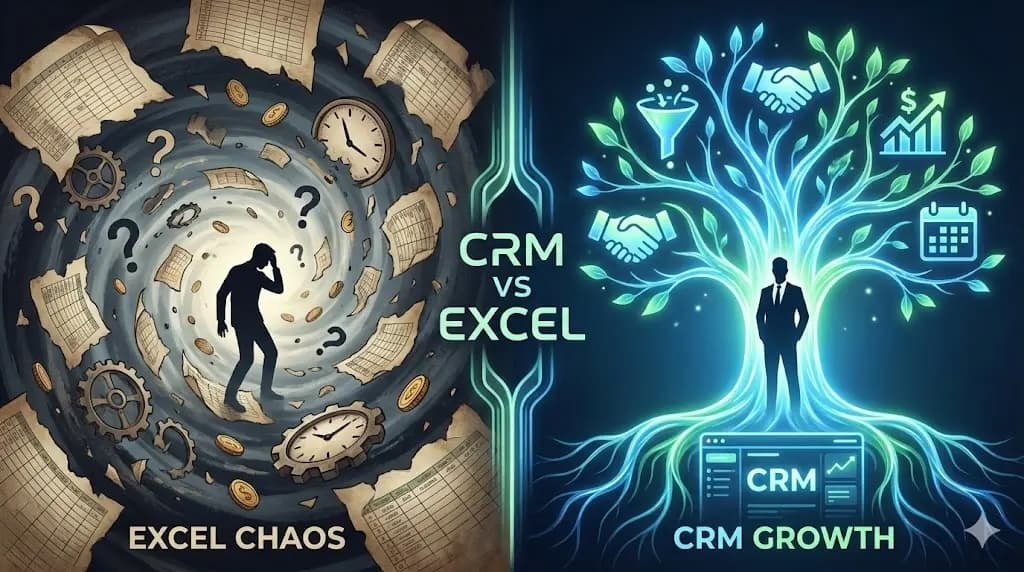
A property agent in Petaling Jaya has 80 clients in an Excel spreadsheet. Names, phone numbers, property preferences, budget ranges, all neatly organized in columns. She's proud of her system.
Then a client calls. "Hi, we spoke last month about that condo in Mont Kiara. What was the price range again?"
She opens Excel. Scrolls. Searches. Can't find the conversation notes because they're in her WhatsApp. Or maybe she wrote them in her phone's Notes app. Or maybe she didn't write them down at all.
"Let me get back to you," she says.
The client calls another agent. That agent has the answer in 5 seconds.
This is how Excel kills your business. Not in one dramatic failure, but in hundreds of small moments where you're slower, less prepared, and less professional than you need to be.
The 5 Real Costs of Using Excel
1. Forgotten Follow-Ups (RM 12,000-60,000/Year)
Excel doesn't remind you of anything. It sits there, static, waiting for you to open it and manually check who needs attention.
You meet a warm lead on Monday. Add their name to your spreadsheet. Tell yourself you'll follow up Thursday.
By Thursday, you've had 15 other conversations. The lead is forgotten. By next month, they've bought from your competitor.
Rough math: Say you miss 1 follow-up per week, and the average deal is worth RM 1,000, that's around RM 52,000/year in lost revenue. Even if you only miss one per month, that's RM 12,000 gone.
A CRM puts today's follow-ups in front of your face every morning. You don't have to remember. The system remembers for you.
2. Invisible Important Dates
Client birthdays. Policy renewals. Contract anniversaries. Tenancy expiry dates. These are goldmine moments for re-engagement and upselling.
In Excel, they're just dates in a cell. You'd need to manually filter and sort every morning to find what's coming up. Nobody does that consistently.
What a CRM does instead: Your phone pings at 9am: "Sarah's birthday is in 3 days" or "Ahmad's motor insurance renews next week." You act on it. The client feels remembered. They stay.
One missed renewal = one lost client. Three missed renewals per year = RM 3,000-15,000 in recurring revenue gone. Because you didn't check your spreadsheet that morning.
3. Scattered Information
Your client data lives in 5 places:
- Contact details in Excel
- Call notes in your phone's Notes app
- Conversation history in WhatsApp
- Meeting details in Google Calendar
- Random notes on paper
When a client calls, you're frantically switching between apps trying to piece together context. You look unprepared. The client notices.
A CRM gives you one screen per client. Every call, meeting, WhatsApp summary, and note, in one timeline. Click the name, see everything. That's the difference between "uh, let me check" and "yes, we discussed that on March 5th."
Time cost: 10 minutes per day searching for information across apps = 250+ hours per year. At RM 50/hour (conservative), that's RM 12,500 wasted on searching for things a system should surface automatically.
4. The Scaling Wall
Managing 10 clients in Excel? Fine. 30 clients? Getting messy. 50+ clients? You're drowning.
Your spreadsheet gets slow. You're scrolling endlessly. You accidentally delete a row. You have 3 different saved versions and can't remember which is current. You hit what we call the 30-client ceiling, the point where human memory and spreadsheets both break down.
A CRM is built to scale from 1 client to 1,000+. Search is instant. Data never gets lost. Tags and filters let you find anyone in seconds.
The opportunity cost: If you could confidently manage 200 clients instead of 50, that's 4x your client base. Even at the same conversion rate, you're looking at 4x revenue. But you can't get there with a spreadsheet.
5. You Look Unprofessional
This is the cost nobody talks about.
Excel moment: Client asks "When did we last meet?" You say "Uh... hold on... I think it was... let me check..."
CRM moment: Client asks the same question. You glance at your phone: "We met on December 5th at Starbucks KLCC. You mentioned wanting to add coverage for your newborn. How's the baby doing?"
The first interaction erodes trust. The second builds it. Multiply that across hundreds of client interactions per year, and you understand why CRM users get more referrals. It's not the tool. It's the professionalism the tool enables.
Why Most People Stay Stuck on Excel
If CRMs are better, why does everyone keep using spreadsheets? Three reasons:
"Switching seems like a lot of work"
It's not. Importing your Excel contacts to a CRM takes 10-15 minutes. Export CSV, import CSV, map columns. Done. The real setup (adding reminders and context) takes another hour. Total investment: less than a morning.
"I can't afford another subscription"
A basic CRM is free. JomClient's free plan gives you unlimited contacts. Pro plans start at RM 99/month. One extra deal per month pays for the CRM 10-20x over.
"Excel is good enough"
This is the dangerous one. Excel IS good enough, until it isn't. And by the time you realize it isn't (missed renewal, lost client, forgotten follow-up), the damage is done. The clients you lost aren't coming back to tell you "I left because you forgot about me."
What to Look For in a CRM (If You're Switching from Excel)
Not all CRMs are built the same. Most enterprise CRMs (Salesforce, HubSpot) are designed for 50-person sales teams with deal pipelines and marketing automation. You don't need any of that.
What professionals actually need:
- 30-second contact creation: If adding a client takes more than 30 seconds, you won't do it consistently
- Automatic reminders: The entire point of switching from Excel
- Timeline tracking: Every call, meeting, and conversation in one place per client
- Tags: Simple organization without complex folder structures
- Mobile-friendly: You work in the field, not at a desk
- Affordable: Under RM 100/month, with a free tier to start
The best CRMs for teams and professionals are simple, fast, and built for the way you actually work.
The ROI of Switching
Some approximate numbers to illustrate.
Excel user (managing 50 clients):
- Misses 2-3 follow-ups per month = 2-3 lost deals
- Misses 3-5 renewals per year = lost recurring revenue
- Spends 10+ min/day searching for info = 250+ hours/year wasted
- Client retention: ~70% (30% annual churn)
CRM user (managing 150 clients):
- Zero missed follow-ups = consistent pipeline
- Zero missed renewals = protected recurring revenue
- Spends 30 seconds finding any client's full history
- Client retention: ~90% (10% annual churn)
Conservative annual difference:
- 24 extra deals x RM 500 = RM 12,000 more revenue
- 10 retained clients x RM 2,000 lifetime value = RM 20,000 protected
- 200 hours saved x RM 50/hour = RM 10,000 in time value
Total: roughly RM 42,000/year. The CRM costs RM 950/year at most.
The numbers are approximate, but the gap is real. And these are conservative assumptions.
So Which Is It
Excel is a tool for organizing data. A CRM is a tool for knowing your clients.
If your income depends on clients coming back (and as a professional, it does), then you need a system built for people, not rows and columns.
The question isn't "should I switch to a CRM?"
The question is "how much am I losing every month by not having one?"
Ready to Stop Losing Clients to Spreadsheets?
Try JomClient free. No credit card required.
- Unlimited contacts on the free plan
- Import your Excel contacts in minutes
- Set reminders that actually remind you
- Built for teams that need AI-backed client memory, not enterprise sales teams
Your clients are too valuable to manage in a spreadsheet.